Are you mad about this outrageous Wikipedia censorship?

Disable JavaScript.
The black censor never appears.
Here’s how:
Chrome
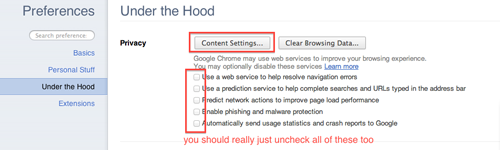
Open up the preferences, and go under the hood.
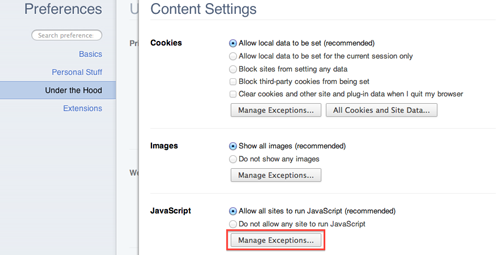
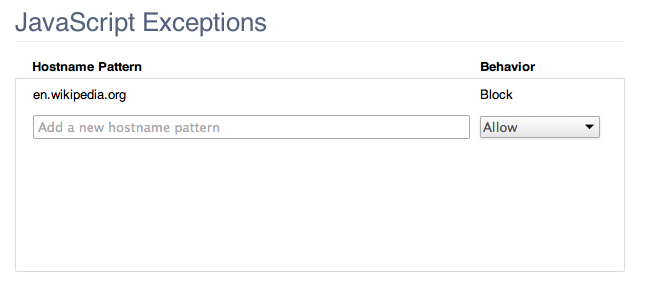
Remember when they said it was English language Wikipedia only? That’s why we use en.wikipedia.org.
Firefox

Safari


One reply on “SOPA Wikipedia blackout hack”
Terminal junkies, try:
wget http://en.wikipedia.org/Rickroll
or
curl -O http://en.wikipedia.org/Rickroll
You’ll have to append .htm to files downloaded this way (i.e. Rickroll.htm) to open on Mac Lion 10.7.2.